Build
The Un-SaaS Ch. 10 — The Tech Stack Blueprint
Domain, hosting, email, analytics, payments — the complete technical architecture for a toll position, wired end to end.
August 28, 2026 · 13 min read

Chapter 10 of 26
This is a chapter from The Un-SaaS: A Toll Stack Engineer's Handbook. Each Friday, we're publishing a chapter as a bonus for our readers.
Part III — Learn It: How the Machine Works
The first operator I ever watched learn the control principle learned it through a login screen.
He had done the work right, or so he thought. He built the landing page. He wrote the sequence. He wired the offer. The partner’s audience started clicking, and for three weeks the machine looked alive.
Then the partner’s nephew “cleaned up” the WordPress site.
The page disappeared. The form broke. The tracking pixel vanished. The operator asked for admin access and got a polite answer that meant no: “We’re being careful with site permissions right now.”
For two days, revenue flowed past him like water under a bridge he no longer controlled.
That is the moment the stack becomes real.
Not when the page looks good. Not when the emails read well. Not when the first commission posts. The stack becomes real when you understand that infrastructure is not decoration. It is the toll booth, the gate, the ledger, and the kill switch.
Chapter 9 gave you the philosophy. Cheap tools. Four layers. Control first.
This chapter is the wiring diagram.
No mysticism. No enterprise architecture theater. Just the practical blueprint for running operator-owned infrastructure that can capture dead clicks, nurture subscribers, track outbound intent, and scale across multiple positions without turning into a dashboard swamp.
Prometheus stole fire. You are doing something less dramatic and more profitable.
You are putting the plugs in the right holes.
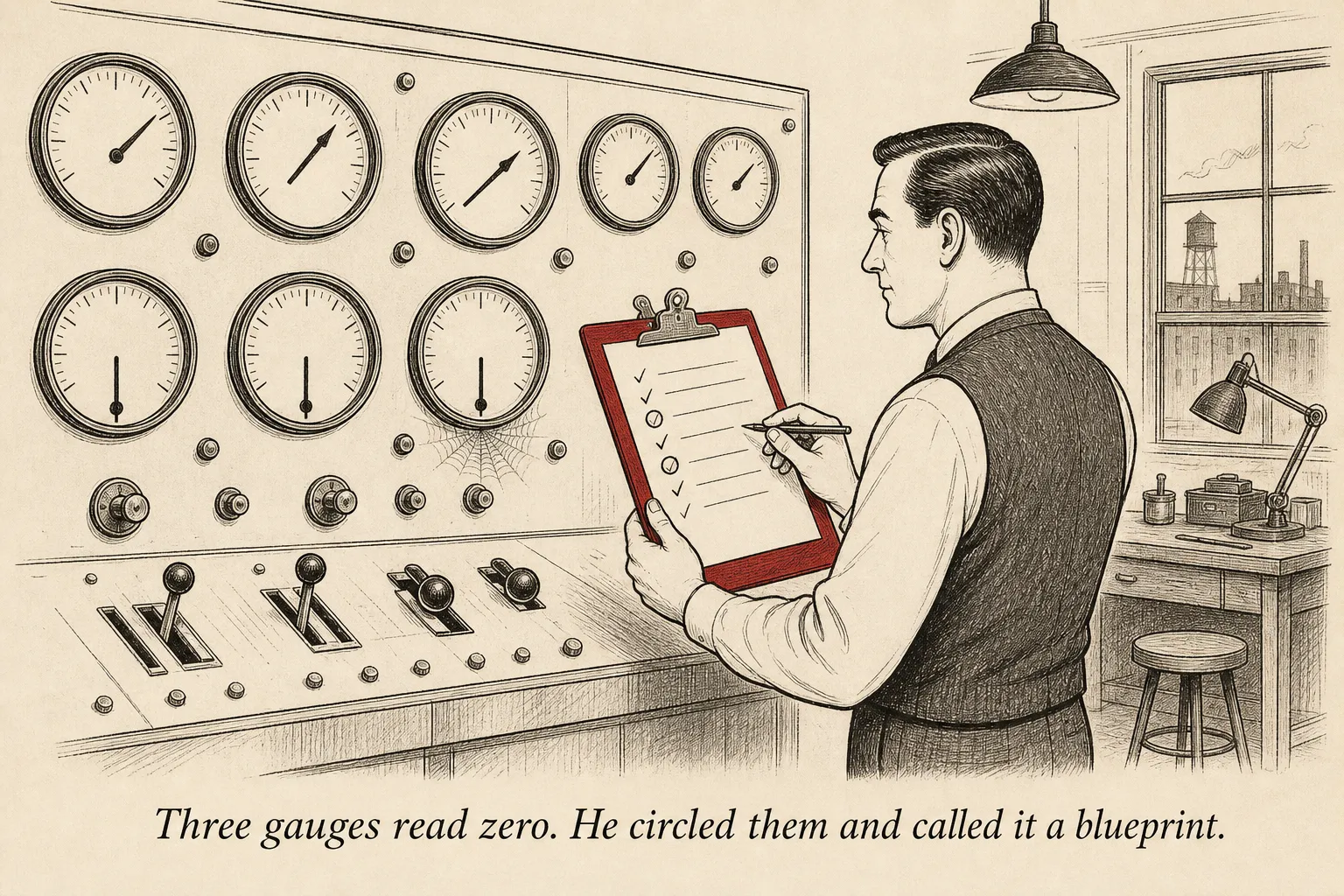
The Architecture
The complete toll stack is a straight line with a few intelligent loops.
Traffic source → your domain → landing page → email capture → email sequence → redirect layer → merchant checkout.
The partner owns the traffic source. A YouTube description. A podcast show note. A newsletter link. A pinned post. A resource page. That is their side of the river.
Your side begins the second the visitor touches the URL you gave the partner.
That URL points to your domain. Not the partner’s site. Not a page inside their WordPress installation. Not a form in their email provider. Your domain.
From there, the visitor lands on a static page you control. The page loads fast because it is just HTML, CSS, and a small amount of JavaScript. It explains the bridge between the partner’s content and the offer. It captures the email address before the visitor disappears into checkout.
The form posts to your email service provider through an API. The subscriber is tagged immediately: partner, source, page, campaign, date, and any experiment variant they saw.
Then the ESP starts the sequence. Email one delivers the promised asset. Email two deepens the problem. Email three shows the math. Email four makes the recommendation. Later emails handle objections and keep the relationship alive.
Every outbound link inside those emails goes through your redirect layer.
That redirect layer is the switchboard. It receives a click, logs the event, reads the destination, appends tracking parameters, and forwards the visitor to the merchant checkout.
The buyer experiences one clean click.
You see the whole path.
This is the difference between an affiliate link and infrastructure. An affiliate link is a pipe. A toll stack is a controlled interchange.
The partner’s only touchpoint is one URL they paste into their content. That is the correct boundary. They do not need your DNS login. They do not need your email provider login. They do not need your analytics login. They do not need edit access to the landing page.
They need a link and a report.
Draw the ownership line in your head.
To the left of the partner link: their audience, their content, their distribution.
To the right of the partner link: your domain, your landing page, your form, your email sequences, your redirect worker, your analytics, your experiment log, your agent reports.
That line is not emotional. It is architectural.
When the partnership is healthy, the line makes collaboration simple. They send traffic. You convert and report. Revenue layers stack cleanly.
When the partnership ends, the line makes the exit clean. They remove one URL. You disable one route. Nobody argues about who owns the list, the code, the page, the experiments, or the redirect history.
The bridge belongs to the builder.
Domain Architecture
Start with a primary domain for landing pages.
Use something broad enough to support multiple positions without sounding like a shell company. The domain does not need to be famous. It needs to be clean, memorable, and neutral.
A typical structure looks like this:
yourdomain.com/partner-name
That is the simplest version. One domain. One partner route. One static page.
At five partners, you have a choice.
You can keep everything path-based:
yourdomain.com/partner1
yourdomain.com/partner2
yourdomain.com/partner3
Or you can move to subdomains:
partner1.yourdomain.com
partner2.yourdomain.com
partner3.yourdomain.com
Paths are easier to operate. Subdomains create cleaner separation. Use paths until there is a real reason not to. The audience does not care. Your maintenance burden does.
Email needs more care.
For deliverability, do not send every position from the same naked domain forever. A complaint spike in one niche should not poison every other position you operate.
The practical pattern is separate sending domains per partner or per niche cluster.
If you run three positions in personal finance, they can share one sending domain. If you also run a position in fitness and another in B2B software, give those their own sending domains.
This is deliverability isolation. It is the firewall between one noisy audience and the rest of the portfolio.
Each sending domain needs three DNS records: SPF, DKIM, and DMARC.
SPF tells receiving inboxes which services are allowed to send email for your domain. Without it, your email looks suspicious before the subject line is even read.
DKIM signs the message cryptographically. It proves the email was not modified in transit and that the sender is authorized.
DMARC tells inbox providers what to do when SPF or DKIM fails. It also gives you reporting visibility when someone tries to spoof your domain.
Skip these records and you are asking Gmail, Outlook, and Apple Mail to trust a stranger wearing your nametag in a dark parking lot.
Some messages will land. Some will go to spam. Some will vanish.
That is not a growth strategy.
Create a separate short domain for outbound redirects.
If your landing domain is yourdomain.com, your redirect domain might be go-yourdomain.com or a short branded equivalent. Every email link points there first.
This keeps tracking links clean. It also gives you operational flexibility. If a merchant changes checkout URLs, affiliate parameters, or campaign pages, you update the redirect destination. You do not edit old emails.
SSL/TLS goes everywhere.
Landing pages. Subdomains. Redirect domains. Webhook endpoints. Admin dashboards.
There is no reason to run plain HTTP in this model. Cloudflare and Let’s Encrypt make certificates free. A browser security warning on a toll position is not a small bug. It is a public confession that the operator does not understand the job.
The Deployment Stack
Build the landing pages as static HTML with Tailwind CSS.
That sounds almost too simple, which is why people keep buying bloated page builders.
A toll position landing page does not need a CMS. It does not need server-side rendering. It does not need fourteen plugins, two pop-up engines, and a cookie banner that loads slower than the offer.
It needs one fast page with one job.
Store the page in Git. Deploy it through Cloudflare Pages or Netlify. Push to the main branch, and the page updates automatically. Every change has version history. Every rollback is one revert. Every experiment branch can be reviewed before it goes live.
This is quiet infrastructure. The best kind.
For email, use Buttondown if you want a simple operator-friendly system, or Postmark if you want stronger API primitives and excellent deliverability.
The landing page form should submit directly to a small serverless endpoint or to the ESP API. On submission, send the email address, source tags, consent timestamp, landing page ID, and experiment variant.
Do not rely on a manual CSV import. Manual steps are where subscriber data goes to die.
Webhook listeners handle engagement events. Opens, clicks, unsubscribes, bounces, spam complaints, and purchases if the merchant or affiliate network can send them.
Those events should write into a simple database or event table. Supabase is enough. A Postgres table is enough. You are not building a bank core. You are building a memory.
The redirect layer is a Cloudflare Worker.
At its simplest, the Worker receives a path like:
go.yourdomain.com/p1/main-offer
It looks up p1/main-offer in a JSON config or KV store. It logs the click with timestamp, partner ID, source, email subscriber ID if available, campaign ID, and user agent. Then it redirects the visitor to the current destination.
That current destination can change without touching the email copy.
This one feature is worth the entire stack. Email is permanent in a way websites are not. Once a sequence is sent, the links inside it are out in the world. If those links point directly at a merchant page, you have no control. If they point at your redirect layer, you can repair, reroute, test, and measure.
Dead links become dead clicks. The redirect layer prevents both.
For analytics, use Plausible if you want a hosted, privacy-friendly dashboard. Use self-hosted Umami if you want to keep costs at zero and do not mind maintaining it.
Install one lightweight script across every landing page. Track page view, capture event, outbound click, and sequence entry. Add partner ID and variant ID as dimensions.
One dashboard. All positions. Filter by partner when you need detail. Look across the whole portfolio when you need pattern intelligence.
The experiment log should be structured data, not a junk drawer.
Notion works. Airtable works. Supabase works better once agents are involved.
The schema is simple: position ID, hypothesis, variant A, variant B, primary metric, sample size target, start date, end date, result, confidence, decision, learning, next test.
If a row does not include the learning, the experiment is not finished.
The AI agent layer sits on top of everything.
Agents read from analytics, email, redirect logs, and the experiment log. They do not need mystical autonomy. They need API keys, narrow permissions, and a scheduled job.
Every morning, an agent can produce a digest: yesterday’s visitors, captures, sequence starts, clicks, revenue events, anomalies, and experiments that reached sample size. Once a week, another agent can propose the next three tests based on the last thirty days.
The cost is cents per day.
The leverage is not that the agent is brilliant. The leverage is that the agent never forgets to check the boring numbers.
Scaling to Multiple Partners
The stack scales best as a hybrid.
Separate email infrastructure per partner or niche cluster. Shared everything else.
Landing pages share one template system. Redirects share one Worker. Analytics shares one dashboard. The experiment log shares one schema. Agent reports share one digest format.
Email is the place where separation matters because reputation matters. A partner with a spicy audience, bad list hygiene, or high complaint rate should not damage a quiet position in another niche.
Everything else benefits from centralization.
The template system is where speed comes from.
You build one landing page template with slots: partner name, resource name, headline, three pre-sell sections, capture promise, disclaimer, redirect target, tracking IDs.
For a new partner, you clone the template, update the copy, assign a route, and deploy.
Do not reinvent the page structure for every position. The experiment log is only useful when the underlying system has enough consistency to compare results.
Shared redirects use partner-specific prefixes.
go.yourdomain.com/p1/main
go.yourdomain.com/p1/bonus
go.yourdomain.com/p2/main
go.yourdomain.com/p2/webinar
This makes logs readable. It also lets agents and humans filter without guessing.
Unified analytics needs a partner dimension on every event. Not buried in a URL. Not inferred from page title. A real field.
When a visitor arrives, every event carries partner_id, position_id, page_id, and variant_id. That is how you see that Partner 3 has a lower capture rate but a higher click-through rate, or that a finance audience responds to direct math while a wellness audience responds to story.
That is the beginning of cross-network intelligence.
The cost curve stays sane.
One partner might cost $15 a month. Five partners might cost $80 once you add sending domains, ESP tiers, analytics volume, and a little database headroom. Ten partners might cost $300 if you are isolating email properly and running more agent jobs.
Those numbers are not sacred. The ratio is.
Infrastructure should stay under 1% of revenue.
If ten positions produce $30,000 a month and the stack costs $300, you are operating correctly. If two positions produce $2,000 a month and the stack costs $400, you have accidentally become the consultant from Chapter 9.
The machine should get heavier only when revenue layers justify the weight.
The Insurance Policy
Backups are not about paranoia.
They are about not negotiating with a vendor during an outage.
Every week, export subscribers with all fields. Not just email addresses. Email addresses alone are a pile of names with amnesia.
Export tags, segments, source data, consent timestamps, sequence status, engagement history, purchase tags, suppression status, and any custom fields your automation depends on.
If the ESP vanished tomorrow and all you had was a list of addresses, you would technically have a backup and operationally have a mess.
Document every sequence in version control.
Each email should exist as a file. Subject line. Preview text. Body. Links. Trigger. Delay. Branching logic. Tags applied. Exit rules.
This feels excessive until the day you need to rebuild a fourteen-day sequence from screenshots and memory.
Keep a dormant backup ESP.
Not fully active. Not expensive. Just configured, verified, and ready. The sending domain should be warmed enough that moving emergency traffic does not look like a cold spam blast.
You do not need to send thousands of emails through it every week. You do need to know the login works, the DNS records pass, and a test campaign lands in the inbox.
Keep static HTML snapshots of every landing page.
A Git repository gives you most of this automatically, but archive the rendered page too. Build systems change. Dependencies break. A plain HTML snapshot is ugly insurance.
Keep a redirect configuration backup.
Spreadsheet, JSON export, database dump. The format matters less than completeness. Every redirect key, current destination, partner ID, campaign ID, fallback destination, and last updated date should be recoverable.
The redirect layer is the most invisible part of the stack until it fails. Then it becomes the entire business.
Run the 24-hour recovery test once a year.
The question is simple: could you restore operations on a completely new stack within 24 hours?
New hosting. New ESP. New redirect worker. New analytics. Same subscriber data. Same sequences. Same landing pages. Same destination logic.
If the answer is no, your backup system has gaps.
Do not wait for the real fire to discover whether the extinguisher is decorative.
Lock the Doors
Use separate passwords for every service.
Password manager mandatory. Not recommended. Mandatory.
Put 2FA on everything: email provider, hosting, DNS, domain registrar, affiliate networks, analytics, database, AI provider, and anything that can change a destination URL or export subscriber data.
DNS is especially sensitive. Whoever controls DNS can impersonate your landing pages, break your email, or reroute your redirects.
API keys live in environment variables, never in code.
If a key appears in a Git repository, assume it is burned. Revoke it and issue a new one. Do not debate whether the repository is private enough.
Use separate API keys by service and purpose. One key for form submissions. One key for agent read access. One key for webhook writes. Narrow permissions make mistakes survivable.
Partners get reports, never logins.
This is not distrust. It is boundary design. A partner does not need edit access to see performance. Give them a dashboard export, a weekly summary, or a read-only report. Do not give them the keys to the bridge.
Do an annual audit.
Revoke unused API keys. Remove old user accounts. Rotate important credentials. Confirm 2FA is still active. Verify backup exports can be opened. Check that dormant domains still renew. Test one restore path.
Security work is boring until the day it becomes the only work that matters.
The operator’s job is to keep the toll position boring.
The Foundation
A good stack disappears while it works.
The visitor does not see the DNS records. The partner does not see the redirect config. The merchant does not see the experiment log. The subscriber does not care that the form posted to an API instead of a plugin.
They experience momentum.
The click becomes a page. The page becomes a subscriber. The subscriber becomes a reader. The reader becomes a buyer. The buyer becomes a data point. The data point becomes the next experiment.
That loop is the machine.
Everything in this chapter exists to protect the loop from dependency, confusion, and decay.
Once the wiring is in place, the work changes. You stop thinking about hosting and start thinking about persuasion. You stop worrying about lost links and start testing better handoffs. You stop asking whether you control the bridge and start improving how people cross it.
The foundation is not the business.
It is the thing that lets the business compound without wobbling.
Next comes the surface area the audience actually touches: the landing page, the email sequence, and the fourteen-day window where dead clicks become revenue.
Next Friday: The landing page is the bridge. The email sequence is the toll booth. How to build both from scratch.
Build
More on building toll infrastructure?
This article covered one piece of the build dimension. The newsletter delivers a new install pattern every week.
Unsubscribe in one click. Useful operator material only. Promotions, sponsors, and partner links will be disclosed.